DaveRapoza
patreon
Hey!
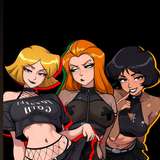
Hope you're well! This tutorial is meant to accompany the latest Darkstalkers process post to further explain the steps taken to accomplish the final render. Please check out those steps as you watch the video to get a feel for what I'm doing and how I'm structuring out my process.
You can grab the Duab Gnarly brush here - it's in the "ink and pigment" set!
The Photoshop brushes are attached to this post.
Thank you for your support!
Dave

I gotta try that, thanks!
Love these creamy instructional videos, thanks Dave! Krita can also do the "Convert Brightness to Opacity", you'll find it under Filters > Color > Color to Alpha, set it on white and boom. More powerful even.
I don't have clip anymore so i can't test this, but in photoshop if you set your values layer/group to the "luminosity" blend mode i think it works the same way as convert bright to opacity. You can also apply that blend mode to a whole group so no need to flatten.
Hey Dave! I’m sure that you’ve thought about this already, but after you do your fill layer, you then add a different colour for each different element as a clipping mask on top of that, then paint shadows and highlights on that same layer. What if you didn’t like that shadow or highlight? It’s merged with the base colour for that element. Have you considered after the fill layer, creating a new layer above, then ctrl clicking on the fill layer to get a selection, hitting ctrl + h to hide the selection, then painting the colour for the element? Then you can create your shadows and highlights as a clipping mask for that colour, and they’re separate. Hopefully this doesn’t come across as trying to teach grandma to suck eggs, but it gives another element of control for you.
dave for the large fields, what command do you use? because I see that it is a single gesture to speed up processing, thanks