oeshii
patreon
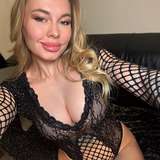
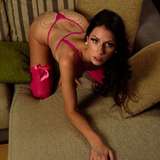
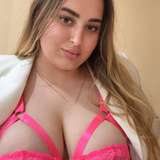
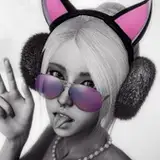
Here's my final version of the busty blonde bimbo Kate. I do kinda like how she turned out. I spent most of the time tweaking the face textures and normal/gloss/spec maps for this look. The diffuse textures are based on Nita textures mostly but i did some changes (lighter tone, new nipples, new genitals) so i put them all in her own VAR.
Also included is her hair, which is a slight modification and tweak of a previous hair. I think it just fit her so well so i didnt want to do anything new from scratch. Physics settings are 32/15 and one length slider is zeroed, so the hair shouldnt kill your GPU.
The runny makeup decal is also included, its not on by default but you can find it in the VAR.
I also created a custom morph (G2FO_Kate) for her in Blender, its mainly affecting the body / boobs.
To install put all the VARs from the main download (KateVars.zip) and in your AddonPackages folder and load the scene Kates_Scene.json from the VAR Oeshii.KatesScene.1 in VAM.
The scene is set in the Industrial Room which i posted some days ago so you will need that if you want the same look as in the pictures.
New VARs;
Download Kate main VARs (textures, hair, scene)
Dependencies (only download the ones you dont have!)
I used ReShade for the pics. There is a link to my basic ReShade config down below, however its just my basic one for softer lighting on the skin mainly. Its like a diffusion effect. Proper use of ReShade includes adding more shaders specific for the type of scene/screenshot youre looking to make. Theres imo not a one-config-fits-all when it comes to ReShade. You need to tweak :P
Download VAM_Oeshii_2020_4.ini

No worries! To load the texture, select your person atom and go to Skin Textures tab. On the upper right you have buttons for Decals. Click on Select for Face. Now in your browser find "Oeshii.Kate.1" on the left. Click on it and it will show all the textures in the VAR. Find "Kate_Face_Tears_Mkp" and click it. Now the face makeup decal is loaded. :)
\
newbie question: how do I load the runny makeup decal?
Hi! You can find MacGruber.Essentials.2.var in this post on his Patreon (its free) => https://www.patreon.com/posts/skymagic-package-35944585
Kindly, add link to the McGruber Essensials plugin that is used in the scene
Thank you
Hi! It goes into your root VAM directory.
to which folder comes the ReShade?
Bummer, i was all set to check her out. Loaded the scene, admired her face and textures, then reset the pose as i always do to start reshaping the body (as I do every look I d/l) and found the full body morph. So basically i can't keep the face only at 100% and lose the body, oh well. I really hope this isn't the new standard. Really like the textures though.
Thank you very much :)
I hope you have a good time with her! :)
Thank you Wade! :)
God Pussy
She looks amazing! Can't wait to try her out! Lol
Love your work! Thanks for sharing the ReShade presets too.