jo_se_oh
patreon
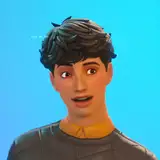
I made this lighting overlay to create fake shadow on your sims to simulate more realistic lighting in The Sims 4! It's good to make your screenshots look more realistic and dramatic!


What and how does this CC works?
This overlay can be found in multiple categories like Skin Details, Makeup, and Tattoos! It adds fake but still realistic shadow to your sims. This overlay will not conflict with any other CC/mods since it's just cosmetics, not a real lighting mods or something like that! I highly recommend using this only when taking pictures of your sims!
This overlay affects the whole body and outfits! (except the last 2 setups that only affects head and neck area)

Live Mode Preview


Read my Terms of Use before downloading!


hi, please use the ones in the makeup category and use the brightness slider to darken the overlay if you want to make an all-black shadow
Looks amazing in the preview, but in game it looks awful on my dark-skinned sims. It has a blue tint, so it makes it look like they have face paint on. Is there an all-black shadow option available for all of these by chance?
Thank you for using my CC! :D
This is amazing💜 I'll use It forever