Furkan Gözükara
patreon
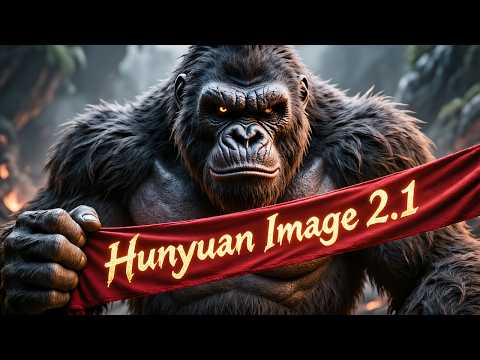
Hunyuan Image 2.1 just published by Tencent and I have been working on developing the very best app to let you use HunyuanImage-2.1 with easiest and most accurate way. In this tutorial video, I will show you how to literally 1-click to install this model and our app on Windows (locally), Massed Compute (cloud) and RunPod (cloud).
SECourses HunyuanImage 2.1 Pro link : https://www.patreon.com/posts/138531984
Comparison Slider : https://www.patreon.com/posts/133935178
Hugging Face upload / download tutorial : https://youtu.be/X5WVZ0NMaTg
Our Discord : https://discord.com/servers/software-engineering-courses-secourses-772774097734074388
Our Reddit : https://www.reddit.com/r/SECourses/
My LinkedIn : https://www.linkedin.com/in/furkangozukara/
0:00 - Introduction to Hunyuan Image 2.1 Gradio App
0:50 - Detailed Application Feature Overview
1:20 - Seed, Image Count, Auto-Enhance & Refiner Features
1:57 - Aspect Ratio, Resolution & Advanced CFG Settings
2:30 - Config Management, Prompt Tools & Image Refinement
3:13 - Output Management: Saved Images & Metadata
3:43 - One-Click Installer & Robust Downloader Explained
4:33 - Windows Installation Guide - Getting Started
5:41 - Windows - Fixing Model Downloads & Current Limitations
6:38 - Massed Compute Setup - Deploying an Instance
7:32 - Setting Up ThinLinc for Remote Desktop Access
8:33 - Connecting to Massed Compute & Transferring Files
9:56 - Massed Compute - Running the Installation Script
10:53 - Troubleshooting Model Downloads on Massed Compute
11:34 - Running the Application & First Image Generation
13:52 - Improving Prompts with Auto-Enhance Feature
15:34 - Using the Refiner for Higher Quality Images
16:23 - Comparing Before & After Refiner Results
17:32 - How to Use Multi-Line Prompting
17:55 - Backing Up Your Generated Images from Massed Compute
19:59 - How to Properly Terminate Your Massed Compute Instance
20:20 - RunPod Installation Guide - Introduction
21:06 - Setting Up Your RunPod Instance (GPU & Template)
22:09 - Connecting to RunPod & Starting the Installation
23:53 - RunPod - Model Download & Troubleshooting
25:06 - Running the Application on RunPod
26:08 - How to Back Up Your Data from RunPod
27:43 - How to Properly Terminate Your RunPod Instance


This model native resolution is 2048x2048 pixels


I thinks so yes. On the other post about it it says "Requires 80 GB GPUs right now". I don't think there's any consumer GPUs with 80 GB VRAM. I don't know if it might work if it allows offloading to RAM if someone had enough, but if it did I assume it would be really, really slow. I think we'd need to wait till they create quantized versions of the models, that have lower VRAM requirements (and are safetensors format hopefully). If there's already a smaller model you're selecting on HuggingFace then you could check the hf page to see if it says what the requirements are.
This looks like it's not usable on consumer GPUs. I put in place the smallest model on HF and still hit OOM with a 5090. Am I correct in that finding?