AnimasAnimus
patreon
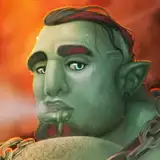
Timelaps of my latest Glas painting.
I came up with a cool painting technique in ClipStudioPaint
Basically you apply color (I use greys in this case) to darken or lighten areas, then blend by smudging, with the "painterly smudge"-brush.
I normally use an A4 canvas size with 300DPI.
The sketch is done with the "round-mixingbrush" under the "thick color"-tab. I use a pure black and the brush size is 50px, for details 20 or 10...
Start with brush-size 80-100px while smudging the overall shapes, for details in the end, like for the skin texture, use 10-20px or even smaller, if you like. I smudge very chaotically and fast in order to get an interesting texture to the skin. Try to keep the form in mind as well and smudge with the flow of shapes as well, like I did while working on his butt ;)
Let me know if you tried and liked the technique
Enjoy, sweeties

Love this kind of blending! My blending is completely different, I've tried, studied the method you did in the weekend, and with my artstyle, it works pretty well! I might practice this painting style more in the future~
you should try it as well. it's meditative. You will definatly lose track of time haha
Wow, the level of detail that gets put into Glas is crazy. Thanks for showing us the tutorial! Your blending skills rock