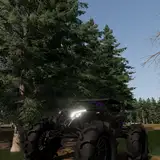
Garry Roberts
patreon
PURE IS REQUIRED FOR C13 AEGIS
Pure can be found on Peters patreon linked below for $1.
https://www.patreon.com/peterboese?utm_campaign=creatorshare_fan
My csp and video settings:
https://acstuff.ru/s/1ShWeW
https://acstuff.ru/s/oLx0g2
I AM NOT THE CREATOR OF C13 AEGIS
For this config, the free version of C13 aegis is required.
The free version (1.65) which can be found on the C13 patreon for free at https://www.patreon.com/posts/c13-aegis-1-65-97550677
Guide on how to install C13 aegis here:
https://youtu.be/J2c7b4Ks3ag?si=hxlnEJrEWItdP-pp
THE PPFILTER MUST BE DOWNLOADED BEFORE THE CONFIGS AND SCRIPTS
GarryC13free and the script below it are for the free version of c13 aegis (1.65)
CONFIGS AND SCRIPTS CANNOT BE DRAG AND DROPPED IN CONTENT MANAGER AND INSTEAD SHOULD BE MANUALLY DROPPED IN EACH SPECIFIED FOLDER
Configs go in C:\Program Files (x86)\Steam\steamapps\common\assettocorsa\extension\config-ext\Pure
Scripts go in C:\Program Files (x86)\Steam\steamapps\common\assettocorsa\extension\config-ext\Pure\scriptsettings
To select the ppfilter, open the ppfilter ingame app and select C13 AEGIS
To load the config ingame, press import in the pure config ingame app and select the GarryC13freeini so my settings are loaded
I have a blurry back at high speed, same in front bumper.. i try different cars and tracks. Any solutions ? Obv i use your settings with csp 0.2.5 preview + pure 1.45 + c13free (script+config). Thanks in adv
I recently found your tiktok and i got to say the graphics were great and the vibes of your vids in general thanks for making this stuff for free
switch the pp filter
The ppfilter is not mine and it has two versions, one is free and the other is paid. I have a ppconfig for each and they are free
yeah free version you basically lied about this being free
"CONFIGS AND SCRIPTS CANNOT BE DRAG AND DROPPED IN CONTENT MANAGER AND INSTEAD SHOULD BE MANUALLY DROPPED IN EACH SPECIFIED FOLDER Configs go in C:\Program Files (x86)\Steam\steamapps\common\assettocorsa\extension\config-ext\Pure Scripts go in C:\Program Files (x86)\Steam\steamapps\common\assettocorsa\extension\config-ext\Pure\scriptsettings To select the ppfilter, open the ppfilter ingame app and select C13 AEGIS"
Choose c13 aegis as the ppfilter and reinstall the config and script correctly like in the post
where do u put the files im so confused it bust my game grey screen
Dm me
Reinstall the filter manually by drag and dropping in assetto root folder and see if it fixes it
How did you install the ppfilter?
Only for dashcams and i will release that soon
do you use reshade?
Found you on TikTok yesterday. I bought the game a few days ago and had everything set up. It's very easy to set up, and the graphics are absolutely stunning. The fact that it's free is crazy. Thank you for sharing your work.
Hey Garry, I've been following your TikTok page the latest days and must says I love your videos. Thank you for dropping configs and scripts. They look absolutley stunning, I apprecieate what you do. Thank you, again.