Loish
patreon
It's time for the August tutorial! ✨ This month, it's on techniques for soft blending. I'll be running you through all of the tools and techniques I use to create a soft rendering style, including the gradient and smudge tool, and of course running you through my process from start to finish!
 The main brushes I use in this video are:
The hard round and soft shade brush from my own brush set for blending and painting
Yuming Li's brush set for the smudge and mixer brushes (I got it when signing up to their patreon page)
My own smudge brushes that I created just for this tutorial - you can download them at the bottom of this post!
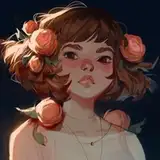
 Here's the artwork I made in the demo:

 Here are some additional tutorials I've made in the past that would be a great supplement to this one:
Choosing colors: A great resource to understand midtone control.
Soft & hard edges with the lasso tool: This video discusses how to balance hard & soft edges, and control softness by creating selections.
Lighting as a design tool: This video shows you how to break free from using lighting ‘accurately' and to be more playful with the lighting you add.
Roses // process video: This process video shows me using all of the tools and techniques that I talk about in this tutorial! There's Part 1, Part 2 and a phone recording.
 Here's a cheat sheet with the most important information from the video - you can also find a PDF version with clickable links attached to this post!


 I hope you enjoy this video! Feel free to share any future tutorial suggestions in the #tutorial-suggestions channel in the discord server (If you don't know how to join, just follow the steps outlined here) or leave them in a comment below ❤

This was a wonderful lesson. You are an incredible teacher; I think it couldn't be clearer. Thank you very much.
i use them as smudge brushes! i honestly have no idea if they would work as mixer brushes, i have to test that out!
thanks so much!
Thanks! It's really beautiful!!
Loved this tutorial, super informative and inspiring!! One quick question though, when I downloaded the brush set, they were set to be used as mixer brushes and not smudge tool! Do you use them as mixer or smudge?
Such a great tutorial, thank you!
they're at the way bottom of the post as an attachment!
Thank you! Am I overlooking the blending brushes?
I'm glad they worked in Procreate too! Procreate is generally a lot faster and more intuitive with smudge brushes.
I'm so glad you liked it, Cayce!
excellent tip, thanks so much for sharing it!
glad you enjoyed it, Miranda! thanks so much for your kind words!
Such an informative tutorial that was really helpful! For all of my Procreate users, theres a brush pack from Jingsketch named "harmonics" that does some really nice hue shifting when used. If you crank the effect up you can get a really nice effects a bit like loish is showing with the photoshop hue sliders!
Amazing. Loved the detailed content on different methods and approaches. I have also avoided photoshop smudge forever so thank you for the details on how to avoid the lag issue. Fantastic tutorial as always!
Loish, your talent is a divine gift. Thank you for sharing it with us. You are truly wonderful in everything you create and evolve. As Salvador Dalí would say, my favorite work of yours is the one you are about to create. You always surprise us.
This was such a satisfying demo, you did a great job explaining your process clearly and yet concisely. It was one of those videos where I had to resist the urge to draw immediately, inspiring stuff!
How i drawing when i dont knows this tehnicks ?!! Love love ❤️❤️❤️
Amazing toturial!!
I used your smudge brushes on Procreate and it worked well, i made a drawing with them. It`s very interesting technique to make ethereal effect
I am hypnotized with this kind of piece ⚡️ I love the soft effect combined with vivid colors 👏
☕️. Loved this tutorial!!💙👍🏻😍
yayyy! i just saw it, it turned out so beautiful!
of course! i will add that to the list, i know it's long overdue :)
thanks so much kat!! 💖
ahh, good to know! so CSP doesn't have a smudge/blend tool?
This is such a cool technique! I hope I can find the time to experiment with it at some point :)
This is an awesome tutorial because you reminded me of a feature that I used a lot in my Photoshop days. I now use CSP and have found a work around for feathered edges by using Auto-Actions!
loved this tutorial could you one day do one on procreate again? on a topic of your choosing lol
Oooo! I've been waiting for a tutorial like this! Thanks! :D
That's exactly what I needed! Thank you, Lois!!! <3
yayy, so happy to hear that!
Wow, the stars are aligned, exactly what I need to finish my No Girl. Thanks, Loish.🩷
This is the tutorial I’ve been waiting for. 3 minutes in and I’m locked for the rest.