Zarphus posts
Posts: 7
Files: 25

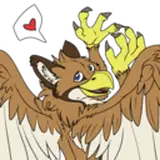
VRChat Gryphon Avatar
A Customizable Gryphon avatar for VRchatnew for 1.2: added bird leg version, improved substance file, added photoshop files!Includes: Unity project with the rigged model, avatar files, and scene ready to upload to VRchat Substance Painter project file, Photoshop files Avatar Features: SDK 3.0 ready Gryphon avatar, pre-configured for VRchat Full body support Full visemes, and 7 included facial expression animations, with blendshape driven suppor...

Lewd Kita'Vali mod
NSFW kita'vali mod for VRChatDISCLAIMER: the Kita'vali Avatar base is FREE at the kita'vali discord! you will need the avatar to use most of these assets properly! this listing is NOT for the avatar, but rather for the unique assets added to it.this is a NSFW modification to the Kita'vali avatar, pre-configured for use in VRChat. it is similar to my davali edit, but with some improvements and slight changes. Features: modeled and ...

Lewd Davali mod
DISCLAIMER: THE 1.4 and 1.5 "Davali" avatar are FREE in the Avali Army discord! you will need the avatar to use most of these assets properly! this listing is NOT for the avatar, but rather for the unique assets added to it. this is a feature driven mod to the base davali, for those looking for something a bit more "after dark". built with existing recolors in mind. Features: modeled and base-mesh integrated, animated vaginal and ...

AwtBeak
a Beak mask fit for the VRchat Otter avatardirections:1: Drag beak into unity scene window2: move beak to 0,0,03: move avatar to 0,0,04: make sure beak object matches the scale the avatar has been set to. if done correctly the beak will now look like it's in the correct position!5: on the left side pane, drag the beak object into the head object of the avatar.6: play with materials to make it look how you want, and you're done!AwtBeak.zip

Arflin Beak
a Beak mask for the Arflin avatar by Hobbert.directions:1: Drag beak into unity scene window2: move beak to 0,0,03: move avatar to 0,0,04: make sure beak object matches the scale the avatar has been set to. if done correctly the beak will now look like it's in the correct position!5: on the left side pane, drag the beak object into the head object of the avatar.6: play with materials to make it look how you want, and you're done!ArflinBea...

Avali toy beak mask
a fun toy beak to add to the 1.4 Avali or similar avatar!just drag the fbx onto the head in the hierarchy and it should fit perfectly, if the avatar was not scaled. i suggest changing the material shader to match the one your body uses. (i didnt for the screenshot, you can see how it looks a bit odd as a result)DavaliBeak.unitypackage